Vixen | A leading manufacturer of astronomical telescopes and binoculars
Program Update Information on ASCOM driver for Autoguiding Cameras
This is a driver for controlling autoguiding cameras with ASCOM-compatible software. Installing this program on your PC will allow you to operate your autoguiding camera with ASCOM-compatible software
About this update
Ver.1.0.0.0 (June 22, 2026)
・ASCOM driver for Autoguiding Camera has been released.
Update Procedure
Before starting update
ASCOM platform, a middleware provided by ASCOM Standard for Astronomy (external website), and various commercially available astronomical software compatible with ASCOM are used in combination with this program.
This section explains the steps for installing the ASCOM driver on a PC. For details on using ASCOM-compatible software, please refer to the instructions supplied with the software.
Requirements
- Autoguiding Camera (VA225C)
- Windows PC for controlling the autoguiding camera.
- ASCOM driver for Autoguiding Camera (The driver software is provided on this webpage. )
- ASCOM platform (Free middleware software provided by the external website ”ASCOM Standard for Astronomy”)
- ASCOM-compatible software (commercially available)
- Necessary PC operating environment
- Microsoft Windows 10 or Windows 11
- Web Browser: under environment of the respective operating system recommended by Microsoft
- CPU: under environment of the respective operating system recommended by Microsoft
- RAM: under environment of the respective operating system recommended by Microsoft
Microsoft and Windows are registered trademarks of Microsoft Corporation in the US and other countries. Pentium is a trademark or registered trademark of Intel Corporation. All products and company names mentioned in the instructions are trademarks or registered trademarks of the companies.
Download Instructions
To install the ASCOM driver for Autoguiding Camera, the ASCOM platform must be installed on your PC. The downloaded driver cannot be installed on its own.
Please download and install the ASCOM Platform from the external website below.
Click ”ASCOM Platform 7.1.3” on the right side of the top page to download the ASCOM platform.
Run the downloaded “ASCOMPlatform●●.●●●●.exe”.
Download the ASCOM driver for Autoguiding Camera from the site below.
Download Driver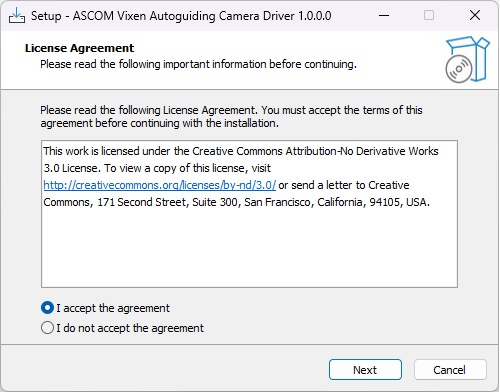
Run the downloaded ASCOM Driver for Autoguiding Camera.
Select [I accept the agreement], and then click [Next].
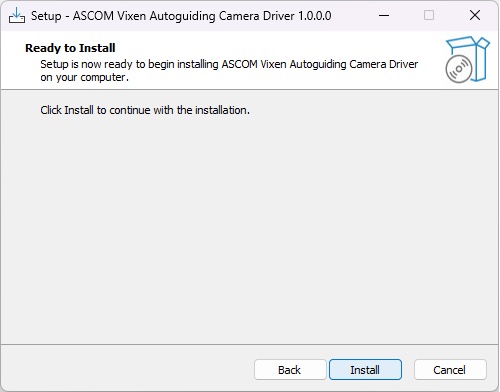
Click [Install] to start installation.
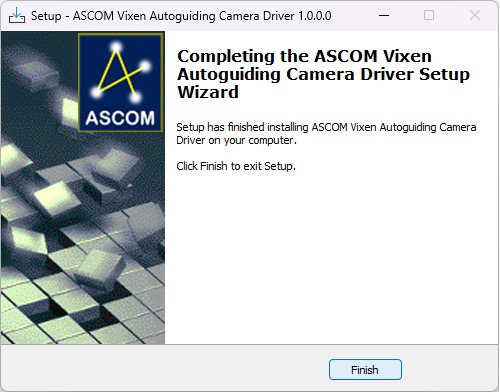
Installation completed!
You are ready to install various ASCOM-compatible software. If it is already installed, proceed to the next step. Please check the instruction manual included with the software for installation instructions.
Connect the PC and the autoguiding camera with a USB cable. The operation starts with the ASCOM-compatible software on the PC. For details on how to operate each software, refer to the included instruction manual.
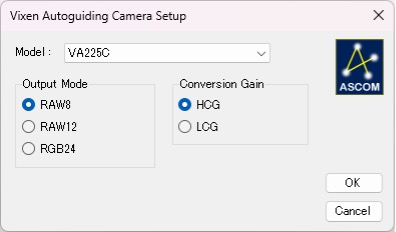
If you experience any issues, please report using the inquiry form.
Your reports will be used to improve the future development of the ASCOM driver.